Marketplace-led
Already booking through marketplaces or referrals?
Start with the marketplace-chef path when discovery already happens elsewhere and you need the owned system behind the booking.
Marketplace chef pathFor chef-led operators
ChefFlow keeps inquiries, events, menus, payments, and finance in one system so the business does not fall back to spreadsheet patchwork. It is built for independent and small culinary operators who need the work to stay attached after the lead arrives.
Prefer to self-serve? Start free in ChefFlow. Already using ChefFlow? Sign in.
Specific Operator Frames
Most qualified operators should review the proof above, then use the walkthrough. The routes below stay useful when discovery already starts on marketplaces or the real question is stack comparison.
Marketplace-led
Start with the marketplace-chef path when discovery already happens elsewhere and you need the owned system behind the booking.
Marketplace chef pathSwitch decision
Use the compare hub when the real work is judging migration friction, workflow fit, and which stack you are moving away from.
Compare your stackHigh intent
Use the walkthrough lane when you want the product mapped against your current handoffs, staffing, finance habits, and operational pressure.
Request operator walkthroughBest Fit
ChefFlow is strongest when one business has to manage intake, client context, event execution, and money without rebuilding the record every time.
Run direct inquiries, repeat households, quotes, and client memory from one operator workspace.
Keep events, menus, prep, documents, staffing, and service details attached to the same record.
Track repeat clients, weekly menu context, payments, and follow-through without rebuilding the workflow every week.
Product Proof
The proof starts with the core workspace, then moves into inquiry, event, and finance screens. Everything below is from the current product state.
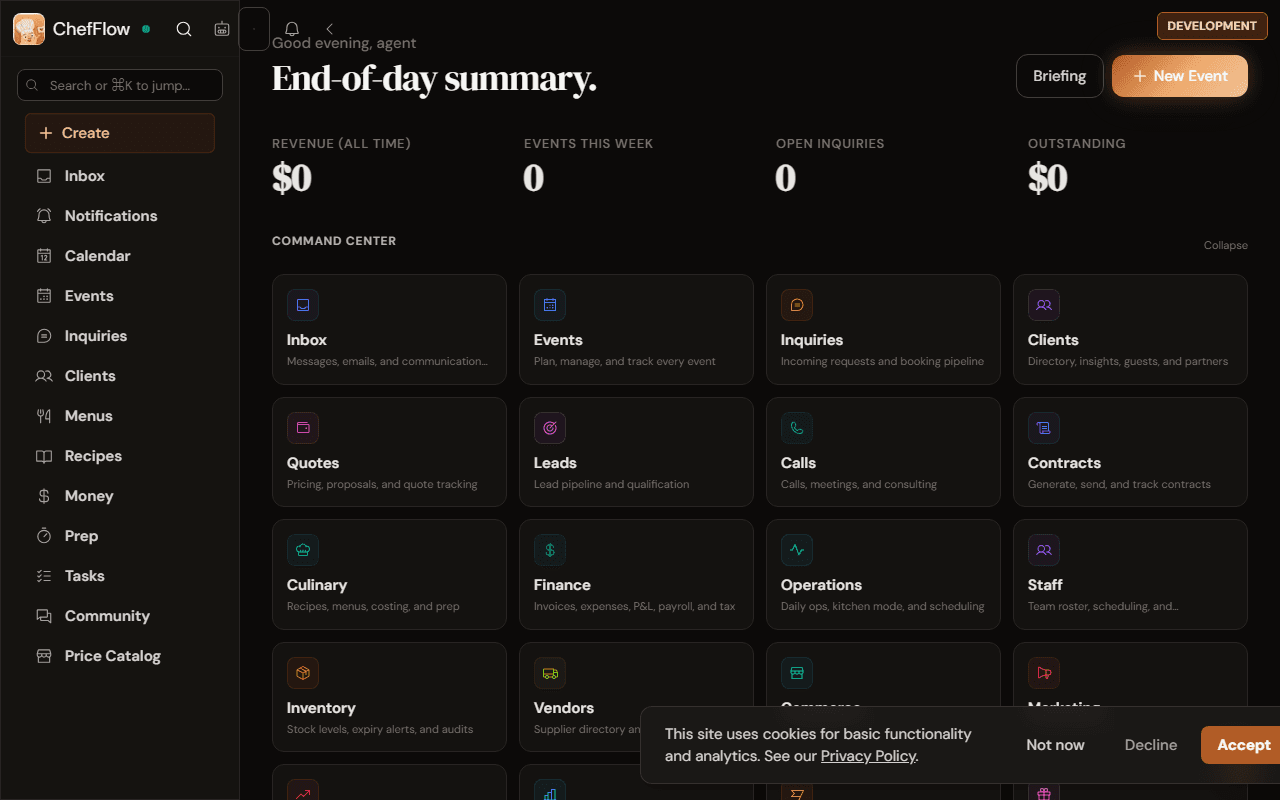
The workspace home shows open inquiries, events, finance, and command-center surfaces from one starting point.
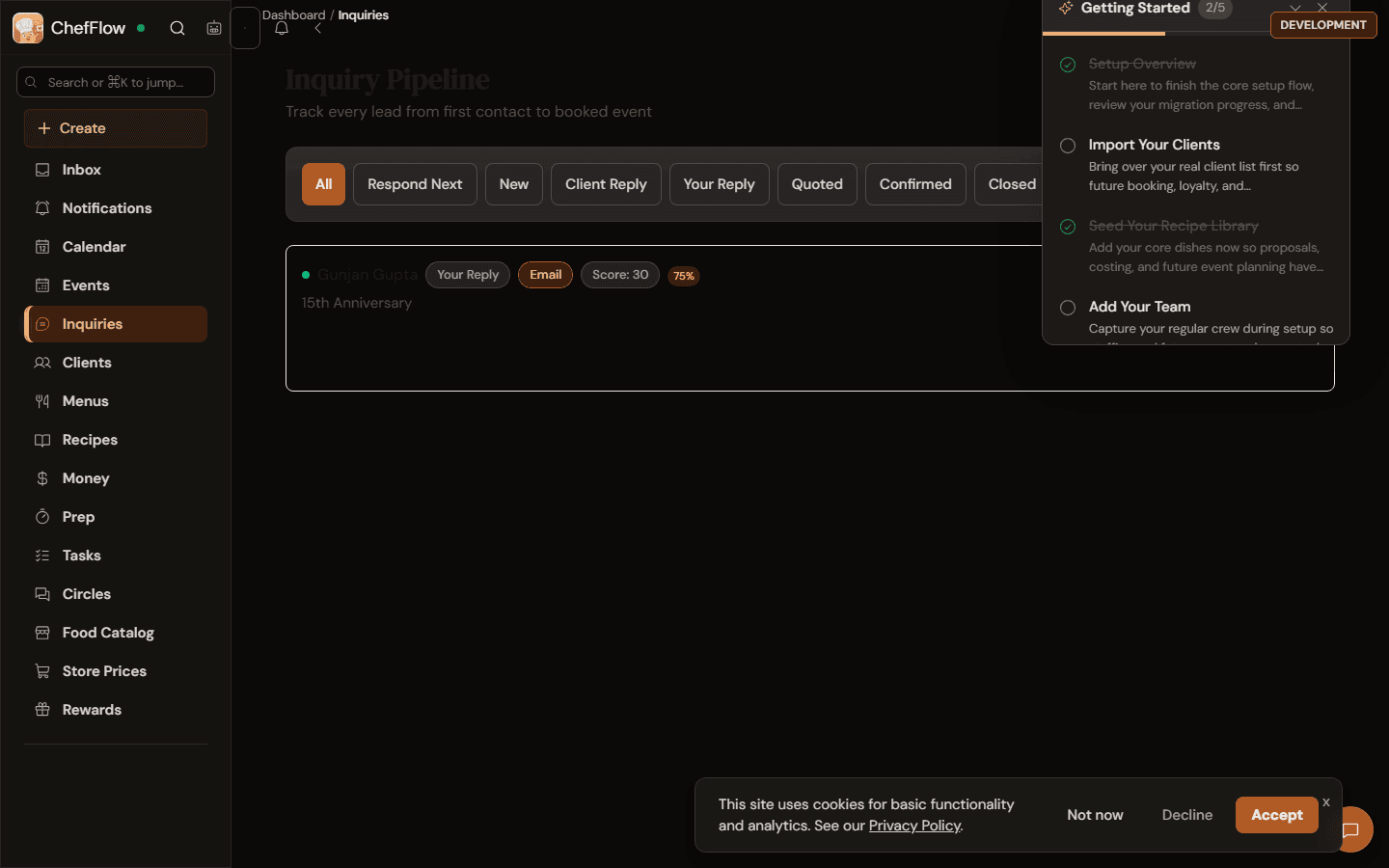
Track new leads, reply status, and next follow-up without pushing the work back into inbox threads.
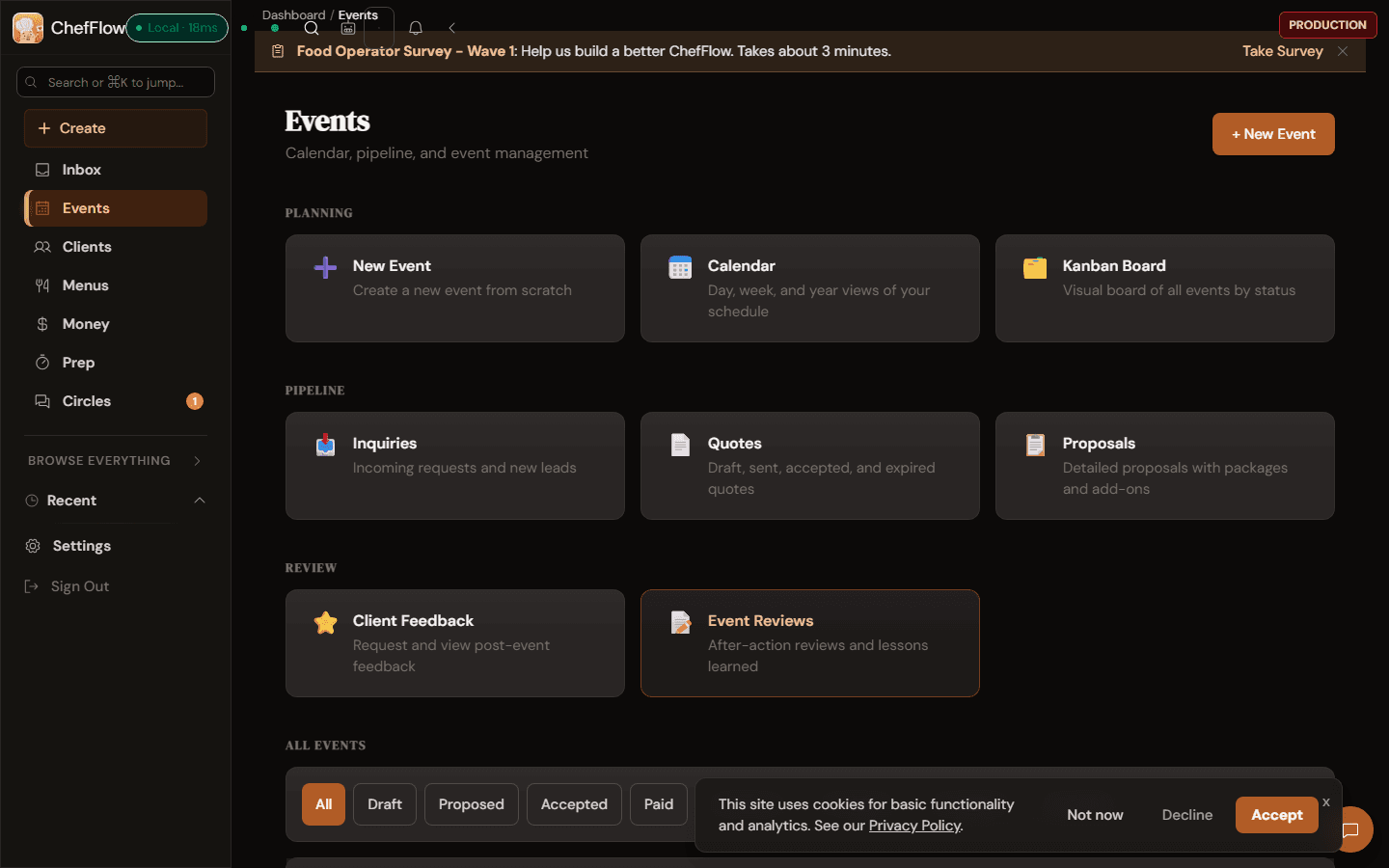
Move from planning and quotes into proposals, feedback, and post-event review in the same system.
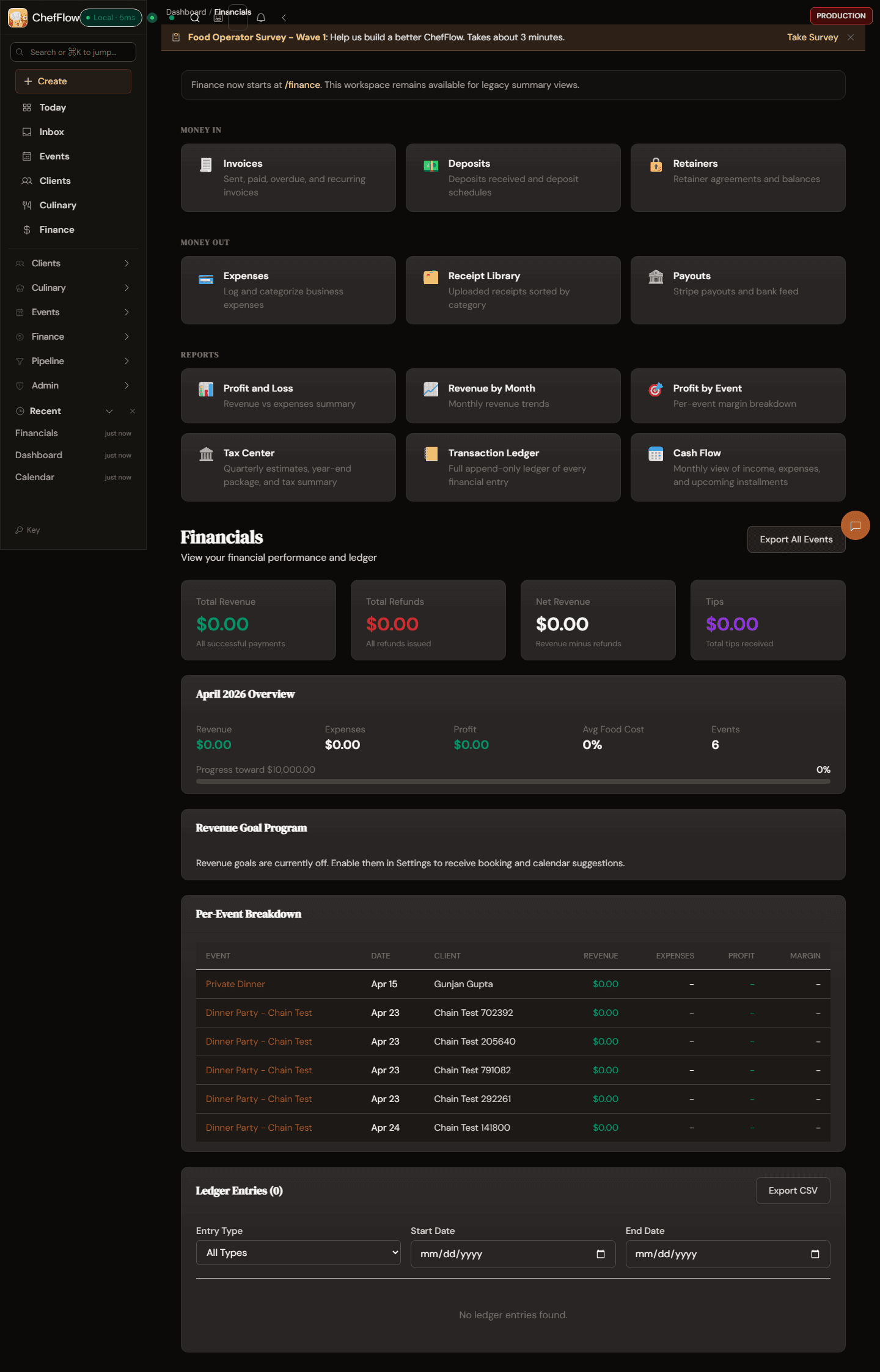
Invoices, expenses, monthly profit, and event-level breakdown live inside the operator workflow.
Workflow Map
ChefFlow is not only for what the client sees. It is for what happens after the request lands and the operator has to quote, execute, and close out the work.
01
Use the public form, website widget, or direct intake to collect date, guest count, location, and budget early.
02
Keep client details, quote context, lifecycle stage, and next actions on the same operator record.
03
Menus, recipes, prep details, documents, and service notes stay attached instead of scattering across tools.
04
Record payments, expenses, and event-level finance in the same system you used to deliver the service.
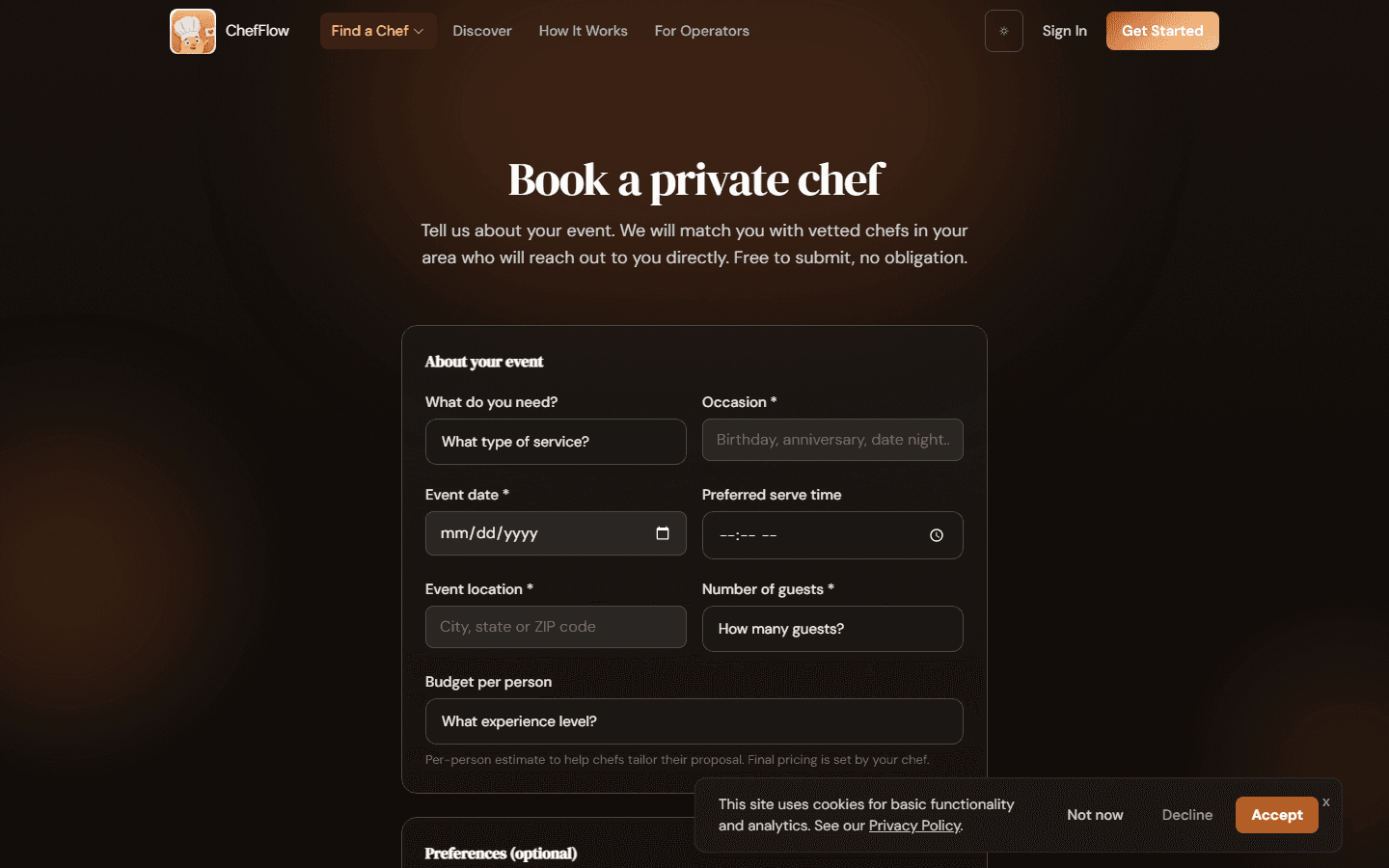
The live intake flow collects service type, occasion, date, serve time, location, guest count, and budget before preference details.
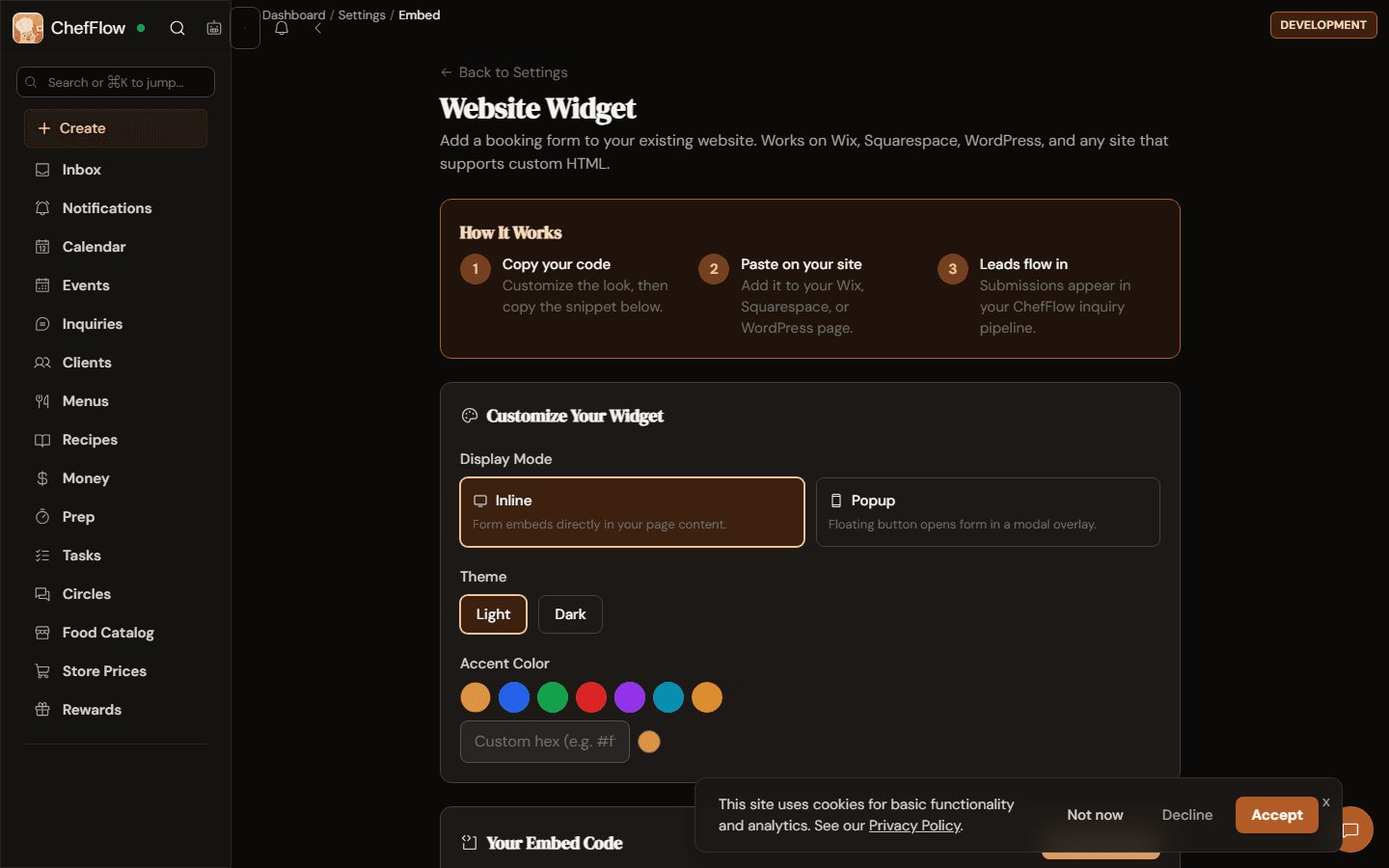
Operators can embed ChefFlow on Wix, Squarespace, WordPress, or custom sites and route submissions into the workspace.
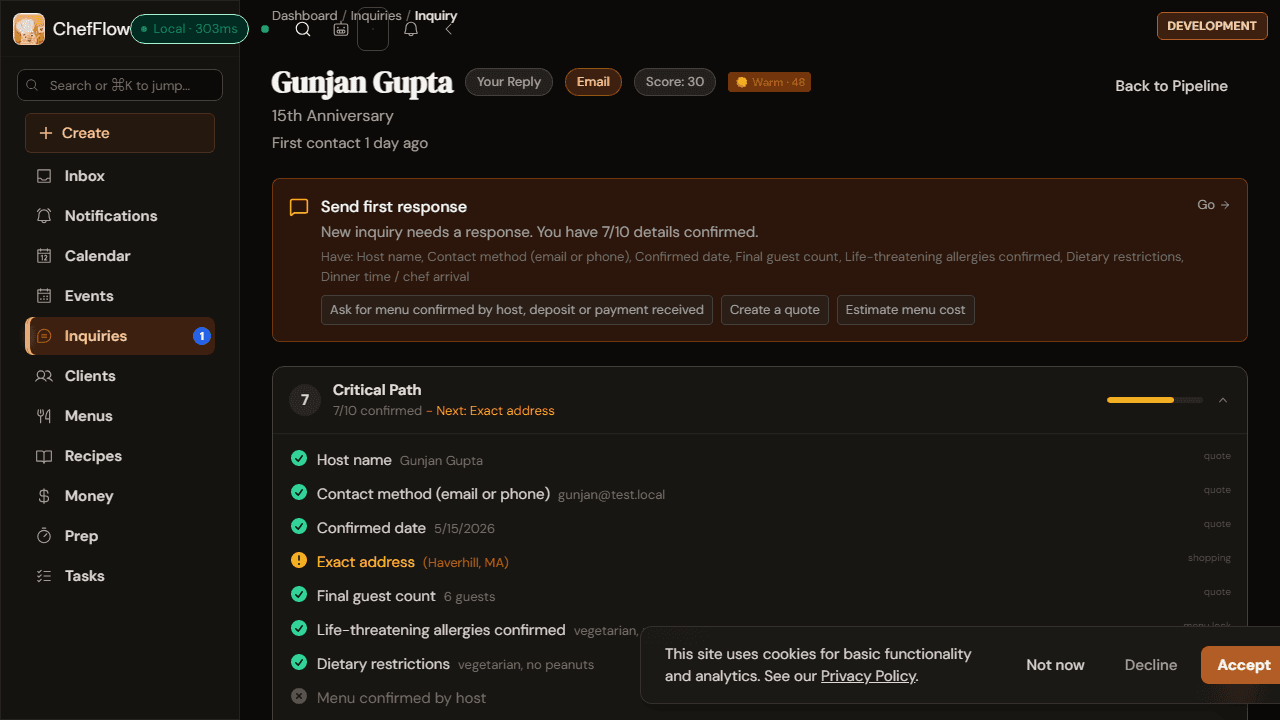
One inquiry view can show missing details, quote readiness, and the next action to move the booking forward.
Deeper Proof
The event record and the finance hub are where the promise becomes real: the work stays attached from intake through reconciliation.

Event Record Proof
One real event record shows lifecycle, client context, payment state, and food cost on the same object instead of scattering them across docs, inboxes, and spreadsheets.
Finance Proof
The finance screen shows the operator-side closeout path without sending the business back into disconnected bookkeeping habits.
Truth-Based Evaluation
Pricing, proof standards, and trust posture stay visible so qualified operators can make the next decision with less guesswork.
70 features are currently classified as free. The public $12/month charge is currently a voluntary supporter contribution, while larger automation, intelligence, and scale workflows remain the future paid surface.
View pricingThis page uses real screens, a real demo, and current product language. ChefFlow does not publish invented testimonials, fake metrics, or unsupported outcome claims.
View customer story statusChefFlow remains founder-led and operator-first. ChefFlow is positioned as a national platform for United States, while live directory availability follows each chef's real service area, travel range, and venue footprint.
Review trust centerNext Step
Most qualified operators should use the walkthrough after reviewing the demo, screens, pricing, and trust posture above. Pricing and self-serve signup stay here if the fit is already obvious.
Recommended
Use the walkthrough when you want intake, event, staffing, or finance habits pressure-tested against the proof above.
Request operator walkthroughPricing
Review what is free today, what is paid today, and which larger paid surfaces are still only classified or planned.
See pricingSelf-serve
If the proof already answers the question, go straight into ChefFlow and pilot one live workflow.
Start free in ChefFlow